
To set up an outdoor patio TV that actually survives real weather, you need four things working together: a TV rated for outdoor use (or a properly enclosed standard TV), a mount built from corrosion-resistant hardware rated for your TV's weight, a reliable power source with GFCI protection and weatherproof cable routing, and a solid internet signal that doesn't drop every time you step outside. Get those four right and you'll be watching movies on the patio without babysitting the setup every season.
Outdoor Patio TV Setup: Step-by-Step Guide for Reliable Weather

Elise Prescott
21 May 2026
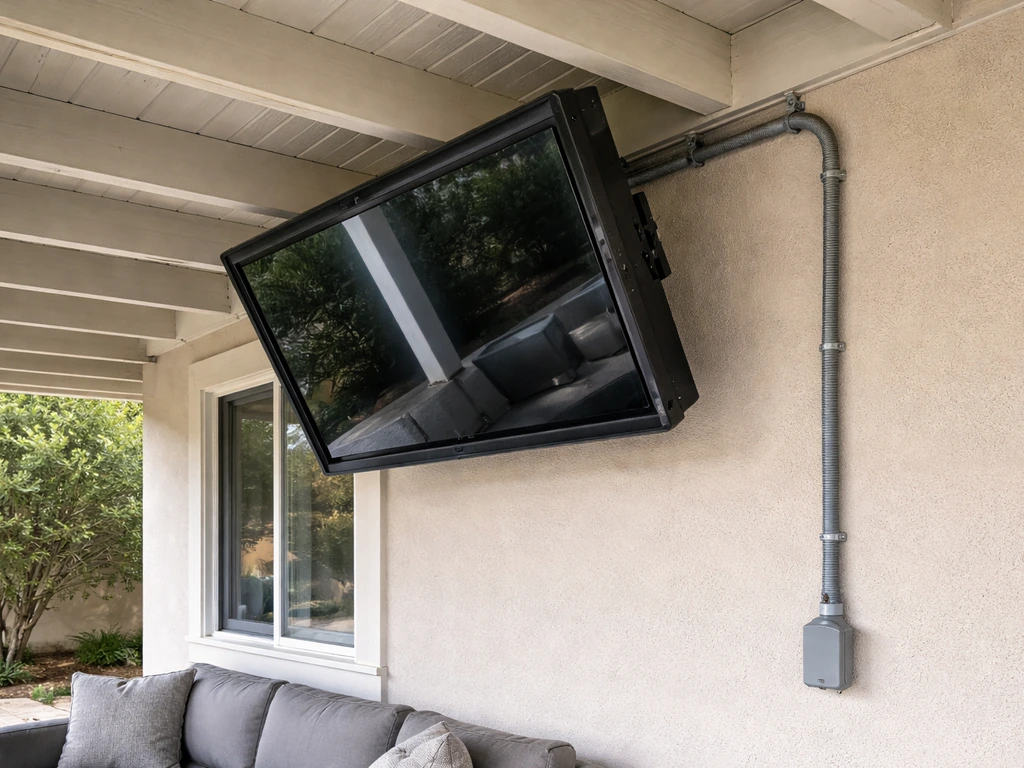
Choosing the right outdoor TV and accessories
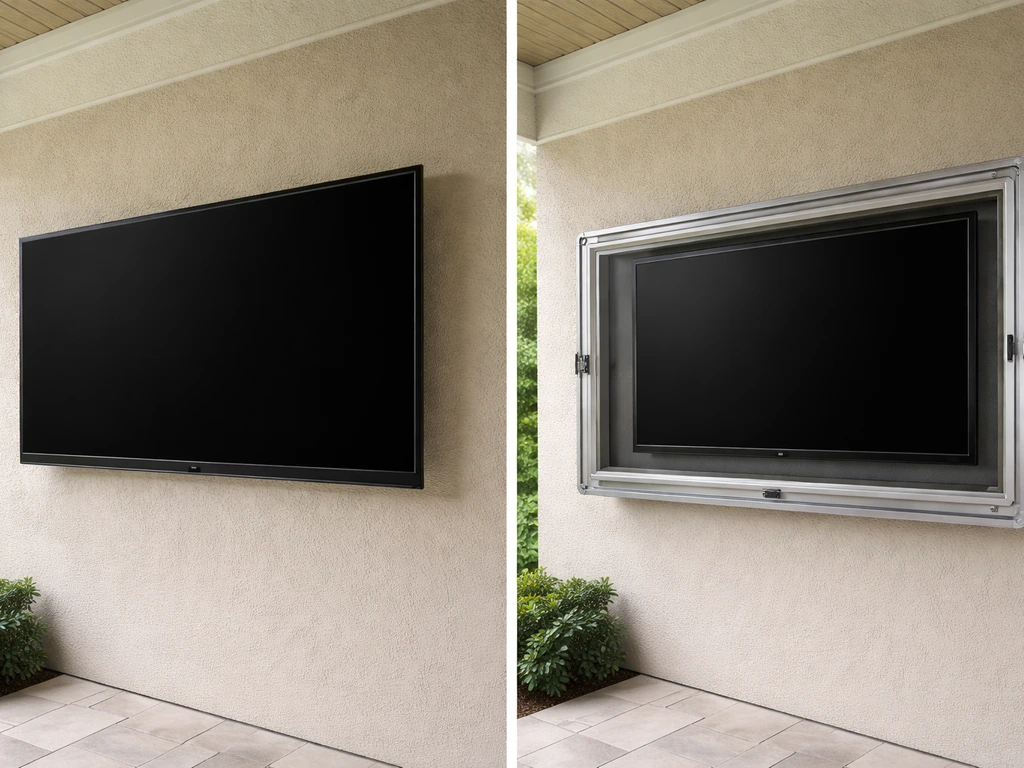
The single biggest decision you'll make is whether to buy an outdoor-rated TV or use a standard TV inside a weatherproof enclosure. Both can work, but they have very different cost profiles and failure modes.
Outdoor-rated TVs
Outdoor-rated TVs like Samsung's The Terrace (the QN55LST7T is a widely available example) are built specifically for this job. The Terrace carries an IP55 rating, which means it handles dust and water spray from any direction. It operates reliably between -30°C and 50°C, so it can handle cold winters and hot summers better than most standard sets. That said, Samsung is explicit: even with IP55 protection, the TV must not be placed in direct sunlight. If the surface temperature climbs above 158°F (which can happen in roughly 10 minutes of direct sun exposure), a dark area appears on the screen. So even an outdoor-rated TV needs shade. These TVs also tend to have anti-glare screens with much higher peak brightness than indoor sets, which makes a real difference in afternoon viewing.
Standard TV in a weatherproof enclosure
If you already own a TV or want to stretch your budget, a weatherproof enclosure is a legitimate option. Apollo Enclosures, for example, rates their enclosures from -4°F to 122°F. The catch is heat. When a TV sits inside an enclosure in direct sunlight, the interior can run 20°F to 40°F hotter than the ambient air due to the greenhouse effect. Poor ventilation makes this worse, and condensation from overnight temperature swings is a separate failure mode even in a sealed enclosure. If you go the enclosure route, keep it in the shade, make sure the vents are never blocked, and look for designs with active condensation management.
Accessories to buy alongside the TV
- Outdoor-rated streaming device (Amazon Fire Stick 4K Max or Apple TV 4K both handle weather better than you'd expect when kept under cover, but keep them inside the enclosure or in a weatherproof media box)
- Weatherproof HDMI and power cables rated for wet locations
- A surge protector rated for outdoor use, connected to your GFCI outlet
- Weatherproof soundbar or separate outdoor speakers (covered in the audio section below)
- A locking TV cover for when the TV isn't in use — even outdoor-rated sets benefit from one
| Option | Upfront Cost | Weather Tolerance | Best For |
|---|---|---|---|
| Outdoor-rated TV (e.g., Samsung The Terrace) | $$$ (often $1,500–$4,000+) | High — built-in IP55, wide temp range, anti-glare | Permanent installs, frequent use, regions with rain or humidity |
| Standard TV + quality enclosure | $ to $$ (TV cost + $200–$800 enclosure) | Moderate — depends heavily on enclosure quality and shade placement | Budget-minded setups, occasional use, already-owned TVs |
| Standard TV under covered patio (no enclosure) | $ (TV only) | Low — only works in very dry climates with full roof cover | Dry desert climates (e.g., Phoenix), fully covered patios with no moisture exposure |
Best placement: glare, sun, rain exposure, and viewing comfort
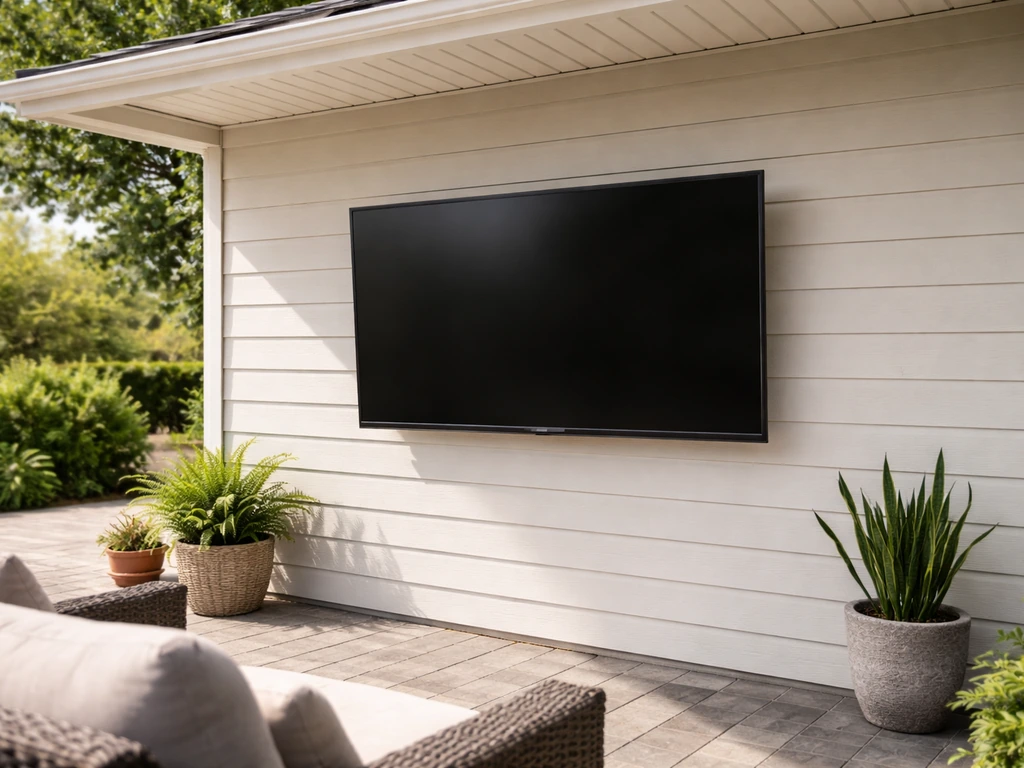
Placement mistakes are the most common reason outdoor TV setups fail or get abandoned. You pick the wrong wall, spend an afternoon mounting everything, and realize you can't see the screen after noon because the sun is blasting it from the west. Plan this before you drill a single hole.
Sun and glare
Face the screen away from direct sun paths as much as possible. In most of the US, a north-facing or east-facing screen location will give you the longest glare-free window. If your patio faces west or south, you'll need shade from a pergola, patio cover, or deep overhang, not just a high-brightness TV. This is non-negotiable for outdoor-rated TVs too, since Samsung explicitly states that even their IP55-rated Terrace should avoid direct sunlight to prevent screen damage and image degradation.
Rain and wind exposure
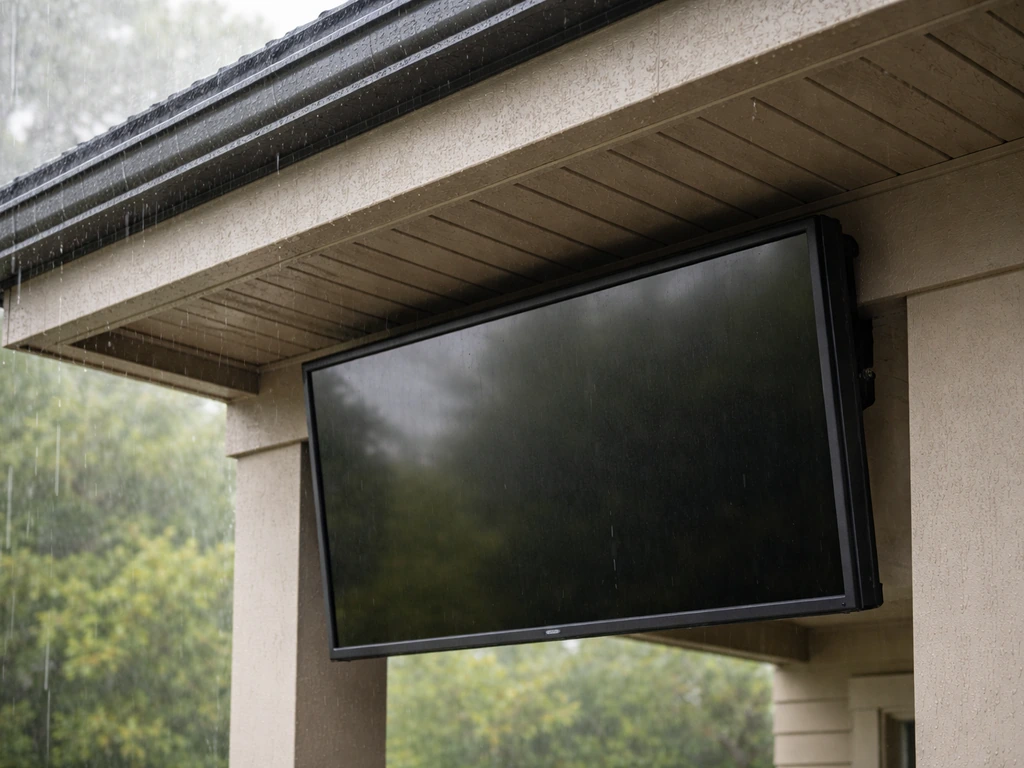
Even IP55-rated TVs are designed to handle water spray, not sustained rain blown sideways by wind. Mount the TV under an overhang, eave, or patio cover so it stays dry during storms. If your patio is open on all sides, prioritize a location on an exterior house wall under a roof overhang. In coastal or high-humidity regions (Florida, Gulf Coast, Pacific Northwest), consider an enclosure with condensation management even if you're using an outdoor-rated TV, because humidity intrusion into ports and connections is a slow killer.
Screen height and viewing angle
Mount the center of the screen at roughly seated eye level, which is about 42 to 48 inches from the ground for most seating arrangements. Outdoor viewing distances tend to be longer than indoors (12 to 20 feet is common), so bump up your screen size accordingly. A 55-inch TV that feels large in a living room can look small on a 400-square-foot patio. If you have a mix of seating positions across a wide patio, a full-motion swivel mount is worth the extra cost so you can angle the screen toward where people actually sit.
Mounting and weather protection options
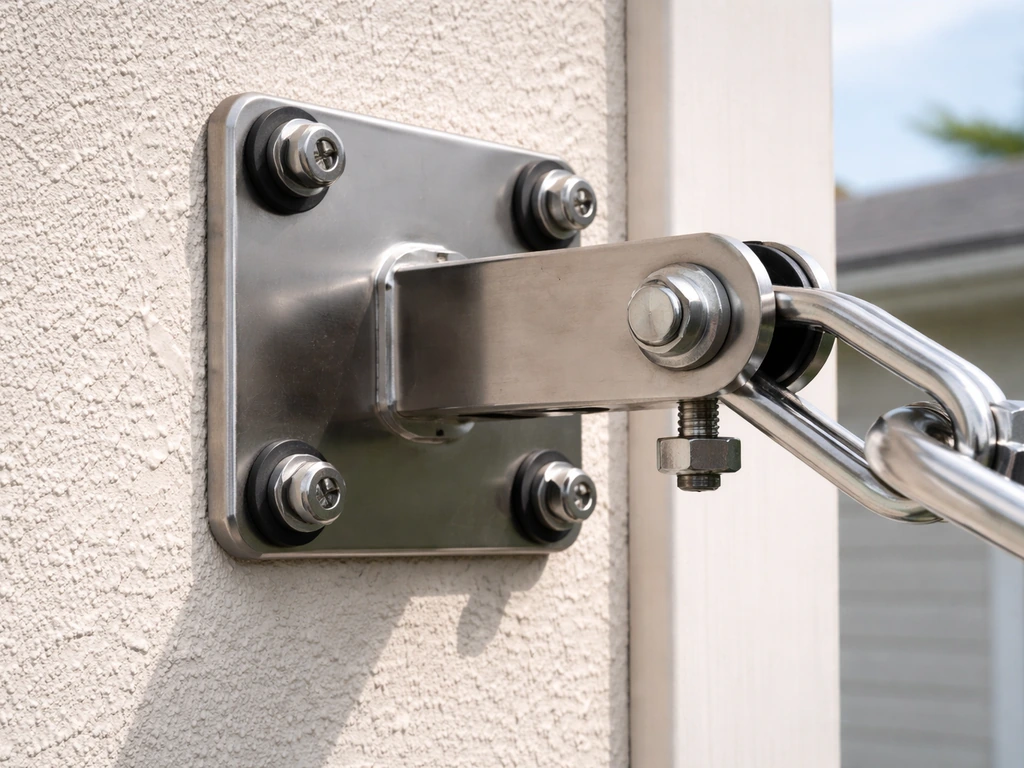
Outdoor mounting hardware is not the same as indoor mounting hardware, and that difference matters more than most people realize. Standard indoor mounts will rust, seize, and fail within a season or two when exposed to outdoor humidity and rain.
What to look for in an outdoor mount
Look for mounts with corrosion-resistant coatings and marine-grade stainless steel hardware. The MantelMount WM460, for example, uses 316 marine-grade stainless steel and is rated to 130 lbs, which covers most 65-inch and under TV weights. SANUS also makes outdoor full-motion mounts with corrosion-resistant coatings. Whatever brand you choose, verify the rated load capacity against your actual TV weight and follow the safety margin rule: the mounting surface needs to be able to handle five times the combined weight of the TV and mount. That means a 50 lb TV on a 15 lb mount requires a wall capable of supporting 325 lbs at the anchor points. Stud mounting is almost always required.
Mount types and when to use each
| Mount Type | Best Use Case | Key Limitation |
|---|---|---|
| Fixed wall mount | Single viewing position, dedicated wall location | No angle adjustment — you must get placement right the first time |
| Full-motion / swivel wall mount | Multiple seating positions, wide patio | More hardware exposed to weather; check corrosion ratings carefully |
| Eave / ceiling mount (angled) | Covered patios with overhead structure, no available wall | Requires solid structural overhead attachment point |
| Freestanding TV stand | Renters, portable setups, or temporary installations | Wind vulnerability — needs to be secured or brought in during storms |
Weatherproofing beyond the TV itself
A patio cover or pergola isn't just a comfort upgrade, for most setups it's a reliability requirement. If you're in a region with regular rain, high UV, or temperature swings above 100°F, a covered structure protects the TV, the mount, the cables, and the viewer. If you're using a standard TV inside an enclosure, make sure the enclosure has adequate ventilation. Blocked vents trap heat and cause the internal temperature to spike dangerously. Even if you nail the shade, day-to-night temperature swings can cause condensation inside a sealed enclosure, so look for designs that actively manage this with filtered airflow or internal heating.
Power and connectivity: wiring, outlets, internet, and signal reliability
This is the section most DIYers underplan, and it's the one that creates the most headaches later. Running power and internet to your outdoor TV isn't hard, but it has to be done right from the start because retrofitting it after the mount is up and the patio is finished is painful.
Power and GFCI requirements
Every outdoor receptacle on a residential dwelling is required to be GFCI-protected under NEC 210. Eaton’s NEC 2023 residential updates summarize the intent and structure of NEC 210.8 GFCI protection requirements for dwelling units, providing useful code-minded context for outdoor receptacle planning Every outdoor receptacle on a residential dwelling is required to be GFCI-protected under NEC 210. 8(A). This isn't optional, and it's not just about code compliance, GFCI outlets genuinely save lives and equipment when moisture gets near the circuit. If you're adding a new outdoor outlet for the TV, hire a licensed electrician for this part even if you're doing the rest of the install yourself. The outlet should be a weatherproof in-use cover type (also called a bubble cover) rated for wet locations. Position it close enough to the TV that you don't need a long extension cord running across the patio, extension cords are a trip hazard and a moisture problem.
Cable routing and weatherproofing
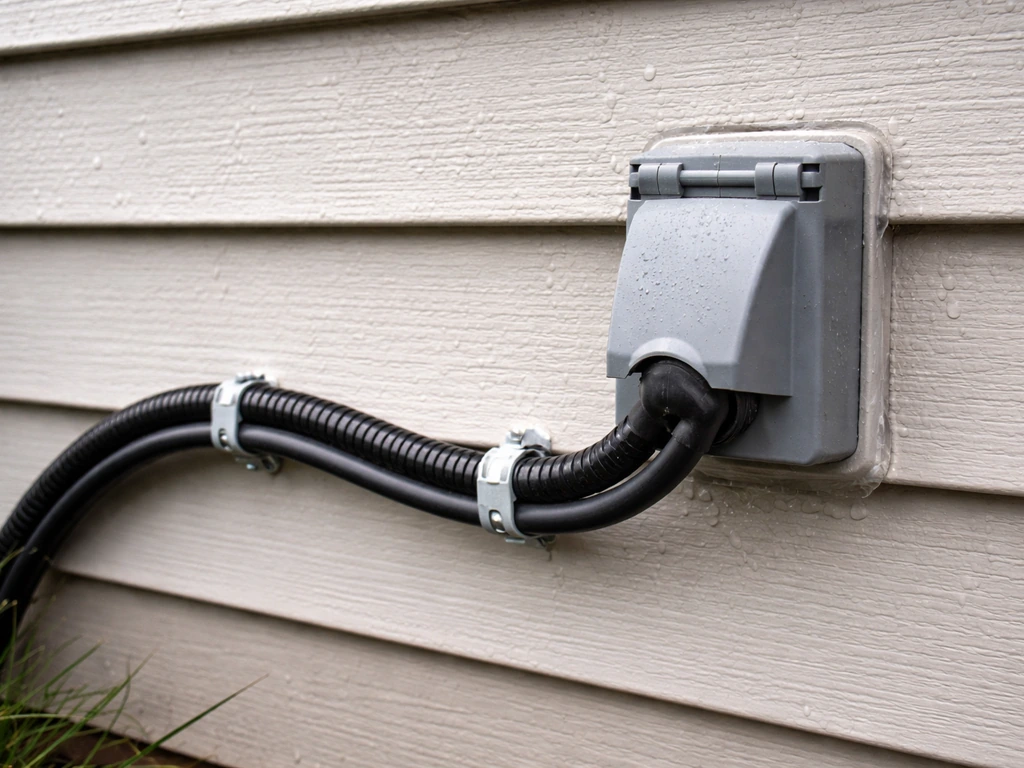
Any cable that runs outdoors needs to be rated for wet locations. This applies to power cables, HDMI cables, and coaxial cables. In NEC language, look for cables labeled with wet-location ratings (THW, RHW, and similar designations). Run cables through PVC conduit along exterior walls rather than just stapling them to the surface. Conduit protects against UV degradation, physical damage, and moisture intrusion. Seal conduit entry points into the house with weatherproof putty or foam. Where cables connect to the TV, use weatherproof covers or seal the connection area.
Internet options for the patio
Weak Wi-Fi is the number-one reason patio streaming setups underperform. Your indoor router probably can't reliably reach 30 feet through a wall and across an open patio. You have three practical options:
- Outdoor Wi-Fi access point: A dedicated outdoor AP like the TP-Link Omada EAP225-Outdoor is designed for this. It's weatherproofed, can cover 150+ meters with clear line of sight, and supports mesh backhaul. Mount it on the exterior wall, run an Ethernet cable back to your router, and you'll have a rock-solid signal.
- Wired Ethernet run: If you can get a conduit to the patio, run a Cat6 cable directly to a weatherproof outdoor Ethernet jack near the TV. Feed that into a small outdoor switch if you need multiple connections. This is the most reliable option.
- MoCA 2.5 adapter (Ethernet over coax): If you already have coaxial cable running to the patio or nearby, MoCA 2.5 adapters let you push network traffic over that cable at up to 2.5 Gbps. It's a smart workaround if running new conduit isn't feasible.
- Mesh Wi-Fi node near the patio door: The minimum viable option. Place a mesh node just inside the door or in a weatherproof enclosure just outside. If your mesh system supports wired backhaul (like Google Nest with Ethernet-connected nodes), use it for better reliability.
Avoid relying on a Wi-Fi extender or repeater if you can help it. They cut bandwidth in half and create inconsistent handoff issues. A dedicated outdoor AP on a wired backhaul is always the better choice for a permanent patio setup.
Audio setup for outdoor listening
Outdoor audio is a whole different problem than indoor audio. If you want the atmosphere to match your vibe, choose the best patio music setup that suits your speakers and listening space outdoor listening. Sound dissipates fast in open air, ambient noise (wind, neighbors, traffic) is higher, and your speaker gear has to survive the same weather as the TV. If you want the best in-ceiling speakers for outdoor patio listening, you will need to choose speakers rated for weather exposure and pair them with the right amplification Outdoor audio. The built-in speakers on most outdoor TVs aren't powerful enough for real outdoor use.
Outdoor speaker options
For a dedicated patio setup, hardwired outdoor speakers give you the best performance. The Sonos Outdoor by Sonance speakers are weatherproof and integrate cleanly with the Sonos ecosystem if you already use it. For more traditional wired setups, the Bose FreeSpace 51 Environmental Speakers are purpose-built for permanent outdoor installation and have been environmentally tested for sunlight, rain, heat, ice, and salt exposure. The Bose FreeSpace 51 is compatible with amplifiers or receivers rated 4 to 8 ohms, so verify compatibility before buying an amp. Pair any wired speakers with an outdoor-rated amplifier mounted in a weatherproof enclosure.
Soundbars and Bluetooth speakers
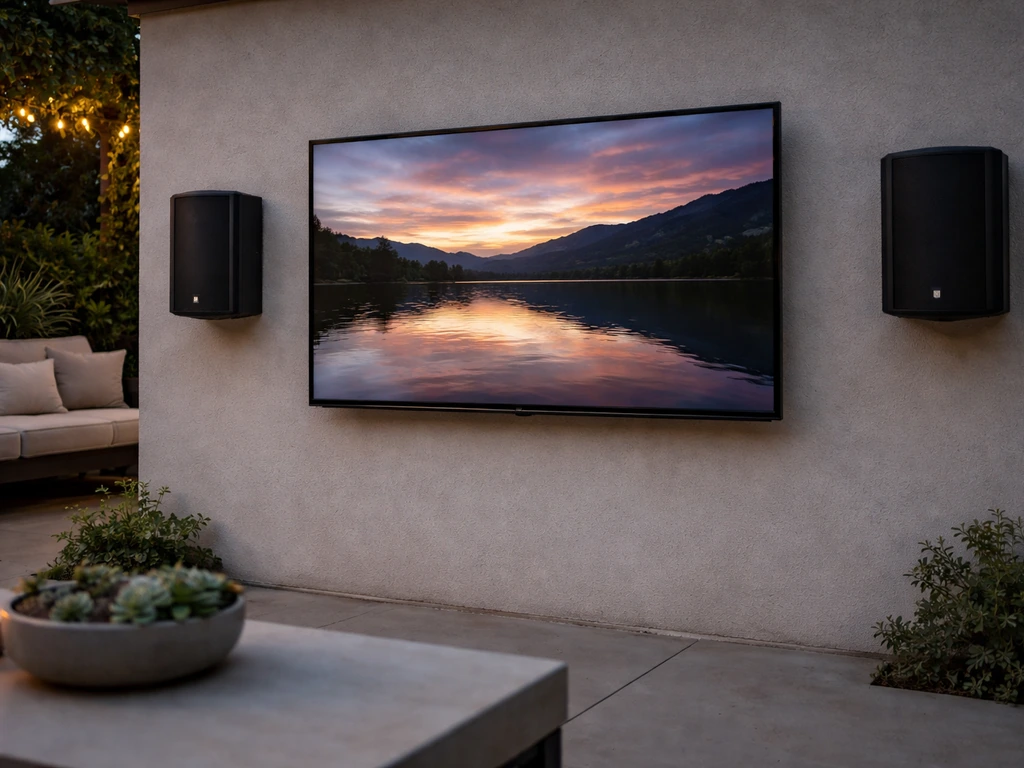
A weatherproof outdoor soundbar mounted below the TV is the easiest option and works well for most casual setups. For Bluetooth audio, be aware of a real-world limitation: Bluetooth audio can introduce noticeable lip-sync delay. Sony has specifically documented this issue and recommends using wired audio paths (HDMI ARC/eARC or digital optical) instead of Bluetooth when sync matters. If you're watching sports or anything where lip-sync is noticeable, run a wired connection from the TV to your soundbar or amplifier rather than relying on Bluetooth.
If you want to go deeper on audio beyond the TV, the patio speaker setup topic is a natural next step, it covers placement strategies, impedance matching, and multi-zone setups in more detail than we can fit here. If you want to go deeper on audio beyond the TV, the best patio speakers and speaker placement topic is a natural next step. If you plan a full patio sound system, use outdoor-rated speakers and make sure their wiring stays protected from moisture patio speaker setup.
Setup, calibration, and streaming reliability
Once everything is physically in place, the software and settings side is where most people leave performance on the table. A few targeted adjustments make a big difference in outdoor viewing quality.
Picture settings for outdoor use
- Switch the picture mode to 'Dynamic' or the brightest available preset when viewing in daylight — standard 'Movie' or 'Cinema' modes are too dim for outdoor use
- Turn off any energy-saving or auto-brightness features that reduce peak brightness in response to ambient light sensors (outdoor conditions confuse these sensors)
- If your TV has a 'Vivid' outdoor mode (Samsung's The Terrace does), use it during daytime and switch back to a warmer preset at night for comfortable evening viewing
- Calibrate color temperature for outdoor conditions — outdoor daylight skews cool, so a slightly warmer color temp setting compensates
Streaming reliability
If you're using a streaming device (Fire Stick, Apple TV, Roku, or the TV's built-in apps), connect it to your outdoor Wi-Fi network or wired Ethernet connection rather than relying on the indoor router's signal bleed. Set your streaming quality to automatic rather than forcing 4K if your connection is marginal, automatic mode handles signal fluctuations better and avoids buffering. For the most reliable experience, especially for live sports or events, a wired Ethernet connection to the TV or streaming device is always preferable over Wi-Fi.
Antenna and cable signal considerations
If you're running coaxial cable for antenna or cable TV to the outdoor TV, use a signal amplifier/splitter rated for outdoor use and keep the cable runs as short as possible. Long coax runs outdoors without amplification will degrade signal quality noticeably. Seal all coaxial F-connector fittings with self-amalgamating (self-fusing) tape where they're exposed to weather.
Climate and comfort around the TV
One thing that rarely gets mentioned in TV setup guides: the comfort of the people watching matters as much as the TV's performance. In hot climates, a patio fan or misting system nearby makes the space actually usable during summer afternoons. Just keep misting nozzles pointed away from the TV, mist is fine, but direct water spray directly at the TV is a different matter even for IP55-rated sets. In cold climates, a patio heater extends the outdoor TV season significantly. Humidity is the longer-term concern: in coastal or high-humidity regions, inspect ports and connections annually and use silica gel packets in any enclosures to slow moisture buildup.
DIY checklist vs when to hire a pro
Most of this project is DIY-friendly if you're comfortable with basic tools and following instructions. The one part where you should seriously consider hiring a licensed electrician is the electrical work, specifically adding or modifying outdoor circuits.
What most homeowners can DIY
- Choosing and ordering the TV, mount, enclosure, and accessories
- Planning placement (sun angles, viewing height, cable routing paths)
- Installing the wall mount on an existing exterior wall with stud mounting (follow the 5x weight safety margin rule)
- Running cables through PVC conduit along exterior walls
- Setting up the streaming device, connecting to Wi-Fi or Ethernet, and calibrating picture settings
- Installing outdoor speakers using weatherproof mounting hardware
When to bring in a professional
- Adding a new outdoor GFCI outlet or circuit (licensed electrician required — this is code-mandated work in most jurisdictions)
- Running conduit through walls or underground (electrician or experienced contractor)
- Mounting to masonry, stucco, or other non-wood surfaces where anchor types and load calculations get complicated
- Installing a pergola or patio cover structure to provide shade (structural work that often requires a permit)
- Setting up a whole-home audio or multi-zone speaker system with in-wall/in-ceiling wiring
Parts and materials checklist
| Item | What to Look For | Notes |
|---|---|---|
| Outdoor TV or enclosure | IP55 rating (TV) or -4°F to 122°F range (enclosure) | Outdoor-rated TVs are preferable for permanent installs |
| Outdoor TV mount | Corrosion-resistant coating, marine-grade stainless hardware, rated load > TV weight | Verify 5x combined weight at anchor points |
| GFCI outlet (weatherproof) | In-use bubble cover, wet-location rated | Must be installed by licensed electrician if adding new circuit |
| Outdoor-rated cables | Wet-location rating (THW, RHW, or equivalent) for power; outdoor-rated HDMI | Run inside PVC conduit on exterior surfaces |
| PVC conduit + fittings | Schedule 40 PVC, sized for your cable bundle | Use weatherproof sealant at wall penetrations |
| Outdoor Wi-Fi access point or Ethernet run | Weatherproof AP (e.g., TP-Link Omada EAP225-Outdoor) or Cat6 in conduit | Wired backhaul always beats wireless for reliability |
| Outdoor speakers or soundbar | Environmental rating, wired HDMI ARC or optical connection preferred | Avoid Bluetooth-only to prevent lip-sync issues |
| Surge protector | Outdoor-rated, plug-in or hardwired | Connect between GFCI outlet and TV power |
| Weatherproof cable connectors/covers | Self-amalgamating tape for coax, weatherproof HDMI caps | Seal all exterior connections |
| TV cover (locking) | Sized for your TV, UV-resistant material | Use when TV is not in use, even with outdoor-rated sets |
If you're getting contractor quotes, use this checklist to verify they've accounted for every component. Quotes that skip the conduit, the outdoor-rated cables, or the GFCI outlet are cutting corners that will cost you later. The best outdoor patio TV setups aren't the ones with the most expensive TV, they're the ones where every piece of the system was chosen and installed to work together in the actual weather conditions of your yard.
FAQ
Can I mount an outdoor patio TV on vinyl siding or stucco, and what should I watch for?
Use anchors rated for the specific wall material. Vinyl siding usually cannot safely hold the TV mount, you need to hit underlying structure (studs or approved backing). For stucco, verify the mount points penetrate to solid framing or use a system designed for stucco with approved load testing, then seal any penetration points to prevent water intrusion.
How can I tell if my TV enclosure will overheat even when the vents look open?
Check vent design and airflow path, top and bottom intake and exhaust should not be blocked by mounting the enclosure too close to a wall or under a solid cover. If you ever see a “hot-to-the-touch” enclosure after a sunny day, assume internal temperature is rising significantly and add ventilation spacing or choose an enclosure with active ventilation or condensation management.
Is an outdoor patio TV still safe during heavy rain or wind-driven storms?
It is safer under an overhang, but IP ratings are not a guarantee against sustained sideways rain. Mount the TV so the screen, ports, and cable entry points stay out of the direct rain path, and leave a drip loop on cables so water cannot run into the connections.
Do I need to use a dedicated outdoor receptacle for the TV, or can I plug into an existing outlet?
A GFCI-protected outlet is required outdoors, but the existing circuit may already be overloaded if other devices are on it. Confirm the receptacle is wet-location rated, check that the circuit can handle the TV and any streaming hardware, and keep the cord length short to avoid using extension cords across walkways.
What is the most common mistake with power and HDMI cable routing outdoors?
Running cables exposed without conduit or failing to waterproof where cables enter the house or the TV. Use wet-location rated cable, route through PVC conduit along exterior walls, seal every conduit and entry penetration, and use weatherproof connection covers at both ends.
Should I mount my patio TV higher to reduce glare?
Not necessarily. Height affects both comfort and screen wash. The common approach is center-of-screen near seated eye level (often around 42 to 48 inches depending on seating), then solve glare with placement, shading, and tilt adjustments rather than moving the TV so high that neck strain increases.
What should I do if I cannot get a good outdoor Wi-Fi signal at the TV?
Prefer a wired backhaul approach, such as an outdoor access point connected by Ethernet, then place it based on antenna orientation. If you must use wireless range extenders, expect reduced throughput and handoff delays, so test streaming stability at the exact TV location before finalizing the mount and wiring.
Will 4K streaming work reliably on outdoor patio setups?
It can, but only if bandwidth stays stable. Set streaming to automatic so the device can downshift during fluctuations, and for live sports or events, use Ethernet whenever possible. If you notice frequent buffering, fix the signal path first rather than repeatedly rebooting devices.
Do I need to protect the coax or antenna line connections from water too?
Yes. Even if coax is outdoor rated, the connector area is vulnerable. Use outdoor-rated components, keep coax runs short, seal exposed F-connector fittings with self-amalgamating tape, and route coax through conduit where it runs along the exterior wall.
What about lightning and power surges for an outdoor patio TV?
Consider a surge protector rated for the equipment and install it in a safe location near the power source. Outdoor setups benefit from surge protection because direct and indirect lightning events can damage TVs and network gear even when the TV is otherwise weatherproof.
Can I use the built-in speakers on an outdoor patio TV for real patio listening?
Usually not for clear coverage across a larger patio, especially with wind and background noise. If you want intelligible dialogue and louder output, use outdoor-rated speakers or a properly mounted soundbar, and match audio wiring to your TV’s supported ports for better lip-sync reliability.
Is Bluetooth always a bad choice for outdoor patio TV audio?
Bluetooth can introduce noticeable lip-sync delay depending on the TV and soundbar. If you watch sports or content where timing matters, use a wired audio path such as HDMI ARC/eARC or digital optical, then confirm settings on both the TV and soundbar to reduce synchronization issues.
How often should I inspect my outdoor patio TV connections and ports?
At least once per year, and more often in coastal or high-humidity areas. Check cable jackets, connector seals, and any enclosure desiccant, then replace silica gel packets in enclosures to slow moisture buildup in ports over time.
What should I set up on the TV itself for better outdoor picture performance?
Adjust picture settings for high-brightness viewing, reduce glare-related artifacts by using the TV’s appropriate outdoor or “outdoor” mode if available, and disable energy-saving features that can limit brightness. If your TV supports it, calibrate for outdoor ambient light conditions rather than relying on default indoor presets.
When hiring an electrician, what should I explicitly confirm in the scope of work?
Confirm they will add or modify a GFCI-protected, wet-location rated receptacle if needed, include correct outdoor conduit and outdoor-rated wiring, and coordinate placement so you can connect without long extension cords. Ask them to specify how they will seal conduit entries into the structure to prevent moisture intrusion.